

IntelligentPass4
Author: Geometric Software
Version: 1.2
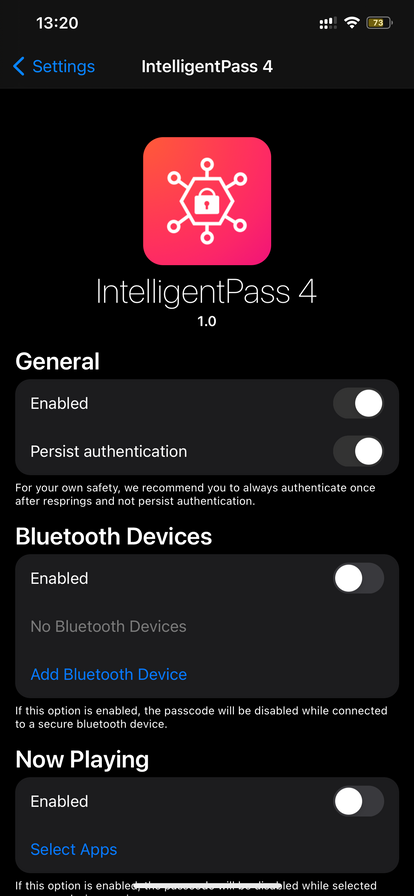
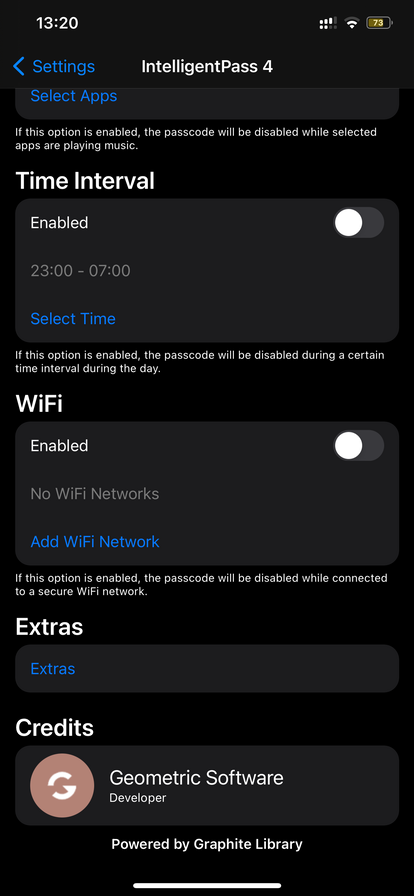
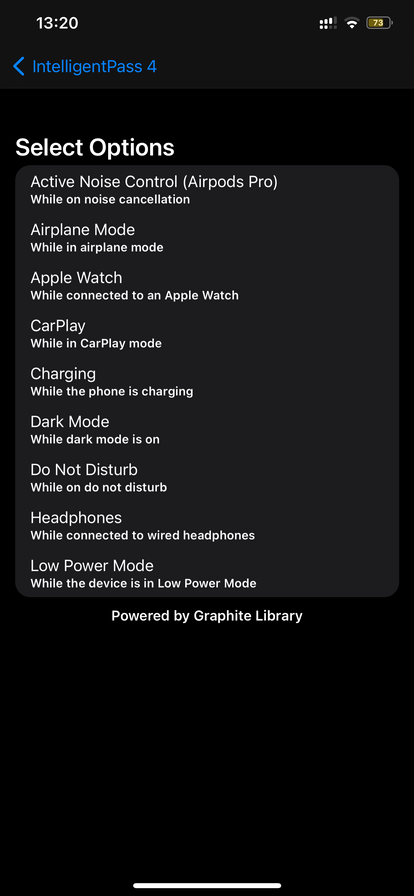
Description
Everyone can relate to when you are home and Touch or Face ID refuses to work, or when you host a party and everyone asks for your passcode to queue their favorite songs. These situations can drive you crazy, or at least annoy you a bit.
IntelligentPass 4 allows you to disable your passcode on the lock screen when it is not necessary, but at the same time keep features like Apple Pay and iTunes purchases protected. It comes with a beautiful design and makes your device even more useful. IntelligentPass 4 is completely built with core functionality in iOS 14 in mind and supports both iPhones and iPads on iOS 14. The tweak can disable your passcode during events described down below.
Events
Active Noise Control (ANC)
IntelligentPass 4 can disable your passcode while your Airpods Pro are in the noise cancelling mode.
Airplane Mode
IntelligentPass 4 can disable your passcode while in airplane mode.
Apple Watch
IntelligentPass 4 can disable your passcode while connected to an Apple Watch.
Bluetooth Devices
IntelligentPass 4 can disable your passcode when you are connected to a trusted bluetooth device.
CarPlay
It can disable your passcode while you are connected to CarPlay.
Charging
It can disable your passcode while charging your device.
Dark Mode
It can disable your passcode while dark mode is enabled.
Do Not Disturb
It can disable your passcode while your device has ‘do not disturb’ enabled.
Headphones
IntelligentPass 4 can disable your passcode while connected to wired headphones.
Low Power Mode
IntelligentPass 4 can disable your passcode while in low power mode.
Now Playing
IntelligentPass 4 can disable your passcode while a certain app is playing music.
Time Interval
IntelligentPass 4 can disable your passcode during certain time intervals, eg. from 6AM to 10AM.
WiFi Networks
IntelligentPass 4 can disable your passcode when you are connected to your home network or other secure networks.
The best with IntelligentPass 4 is that it allows you to select which options above to enable. That way it makes your device even more unique!
See the screenshots for a visual overview of the tweak.
Configurable inside the settings app.
Info
-
Downloads:
230 -
Section:
Tweaks -
Firmware:
iOS 14.x

null